
We have an 8ch IP NVR with 8 cameras attached, however the local monitor (via HDMI) only displays 1 camera (#8) and the other 7 windows just show the HIKvision logo and no cameras. I've tried restarting the NVR, unplugging each cameras 1 and a time and still can't get away from just camera 8.
All cameras display correctly via the HIK connect app with full playback so we know the cameras are all working and it must be a local issue.
I think what started this was adjusting the camera video setting to lower the fps but also enabled the H265+, which I believe can cause issues. All setting have ben chaged back and have lower resolution that to start with but still won't display the additional cameras.
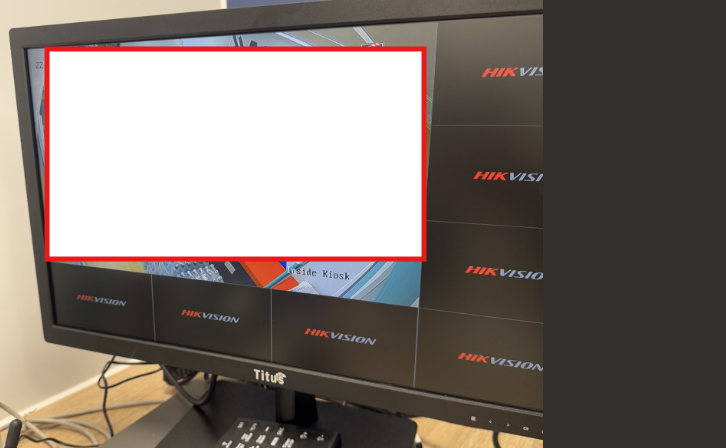
All cameras display correctly via the HIK connect app with full playback so we know the cameras are all working and it must be a local issue.
I think what started this was adjusting the camera video setting to lower the fps but also enabled the H265+, which I believe can cause issues. All setting have ben chaged back and have lower resolution that to start with but still won't display the additional cameras.

