01304 827609 [email protected] Find us

Video Blurry & Audio Not Clear on Hikvision DS-2CD2387G3-LIS2UY/SL

frank123

Active Member
Messages
27
Points
1
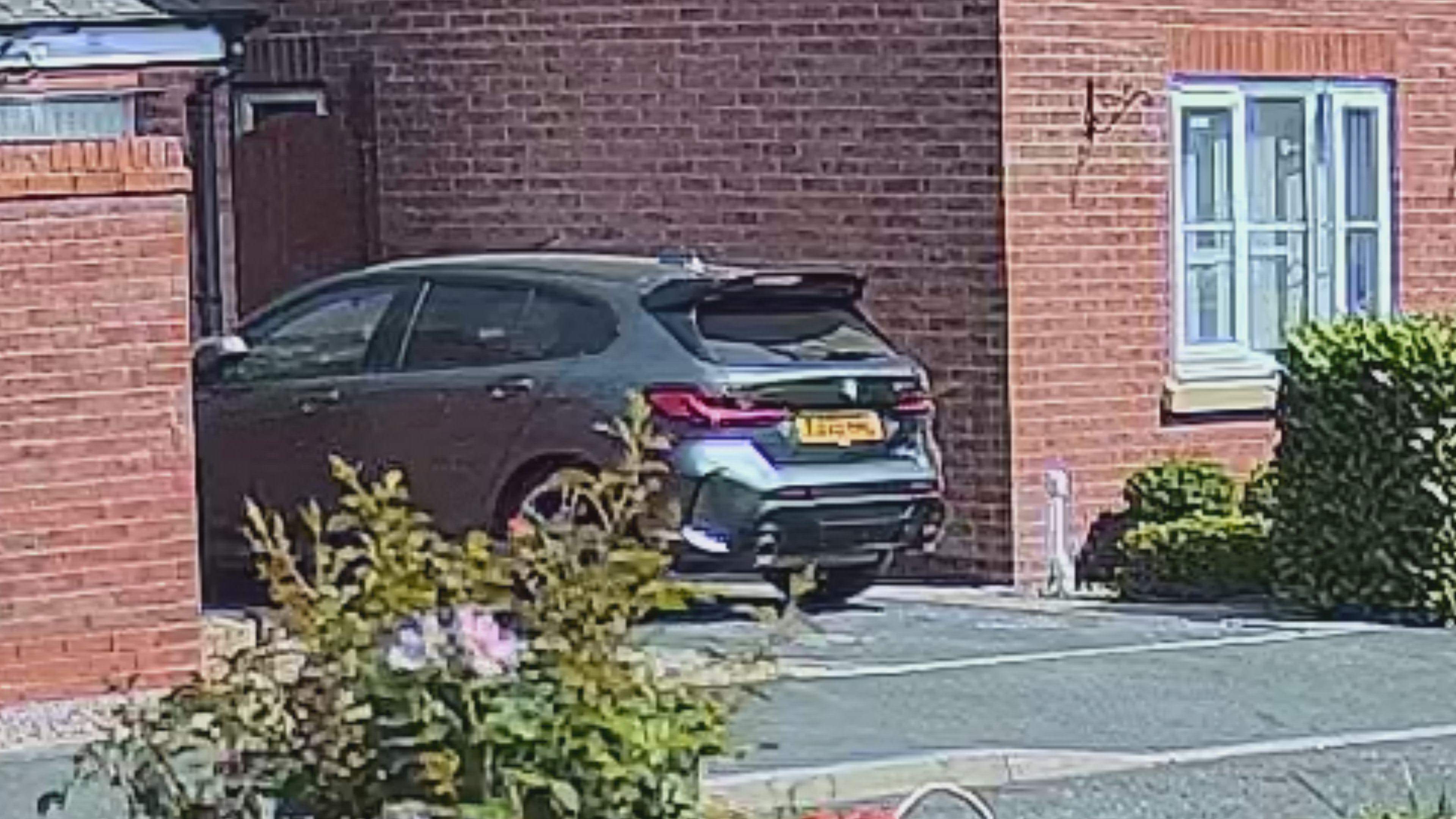
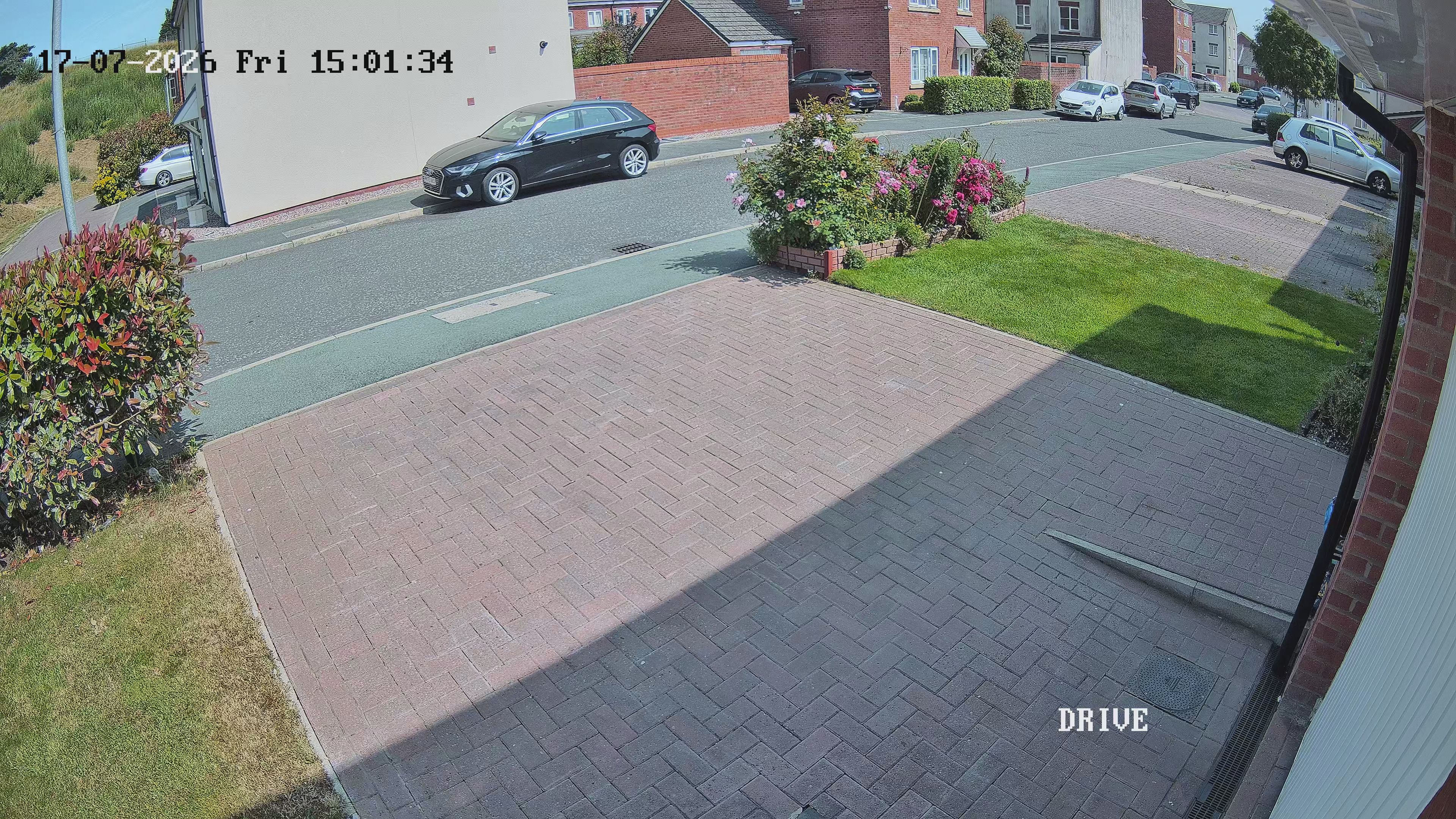
I've just had the Hikvision DS-2CD2387G3-LIS2UY/SL cameras installed but the image is very blurry, I can't even read the number plate on a car on a sunny day and there seems to be a lot of video noise. Please can someone help me fix this.

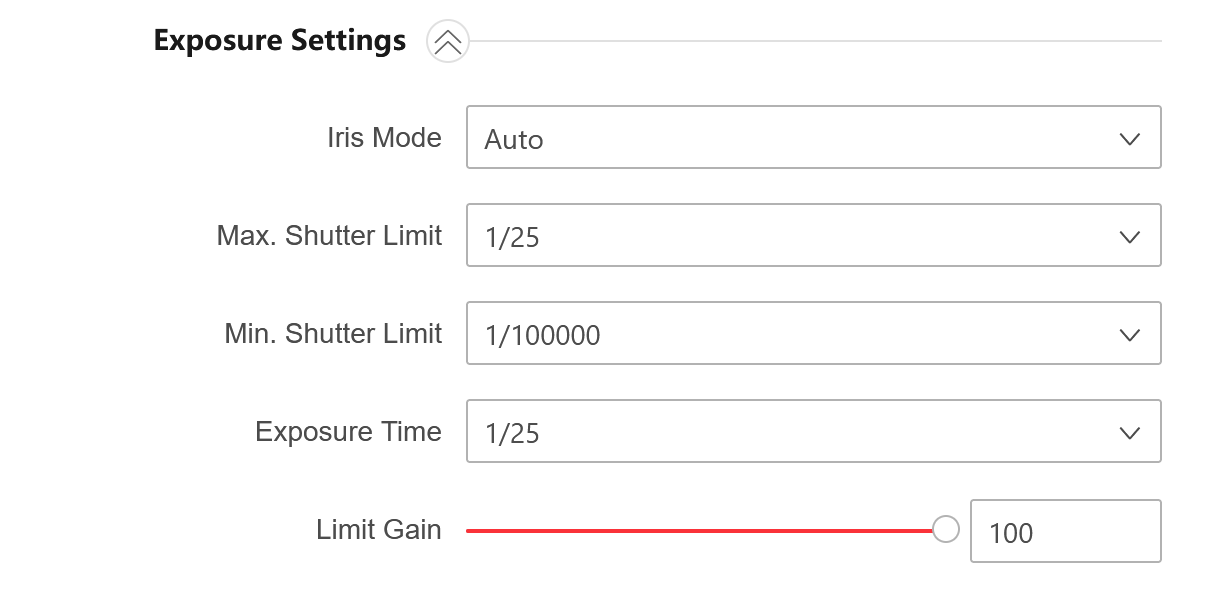
My settings for the cameras are:-
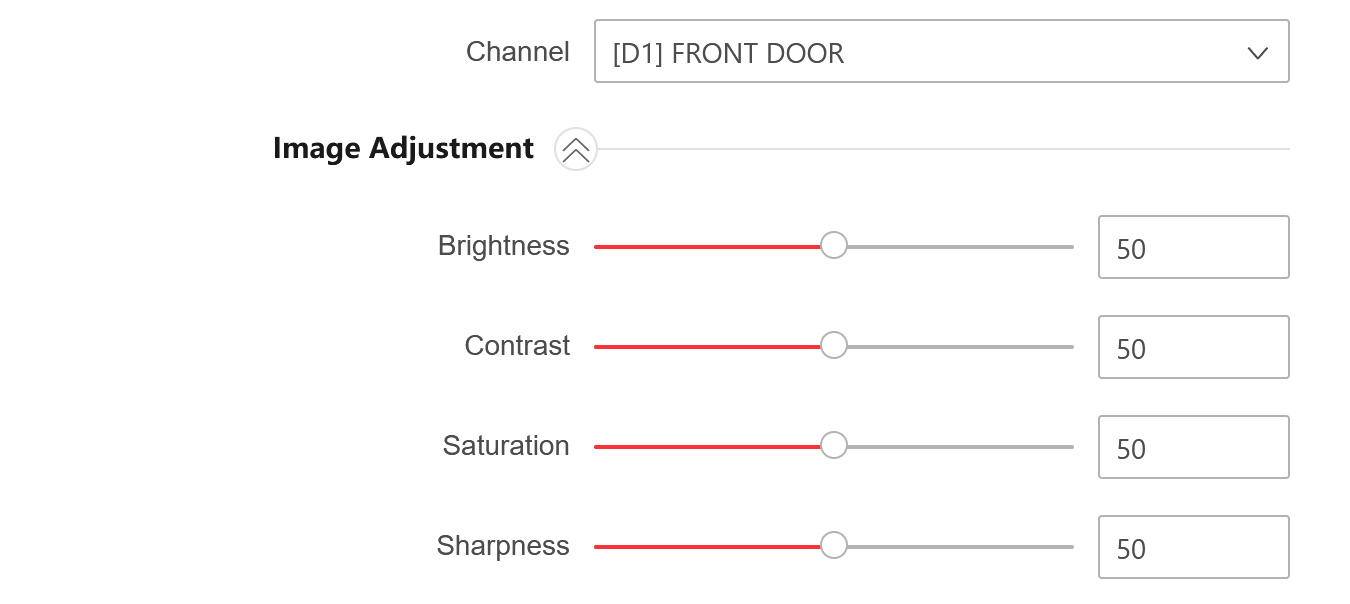

Image Adjustment.png


Exposure Settings.png


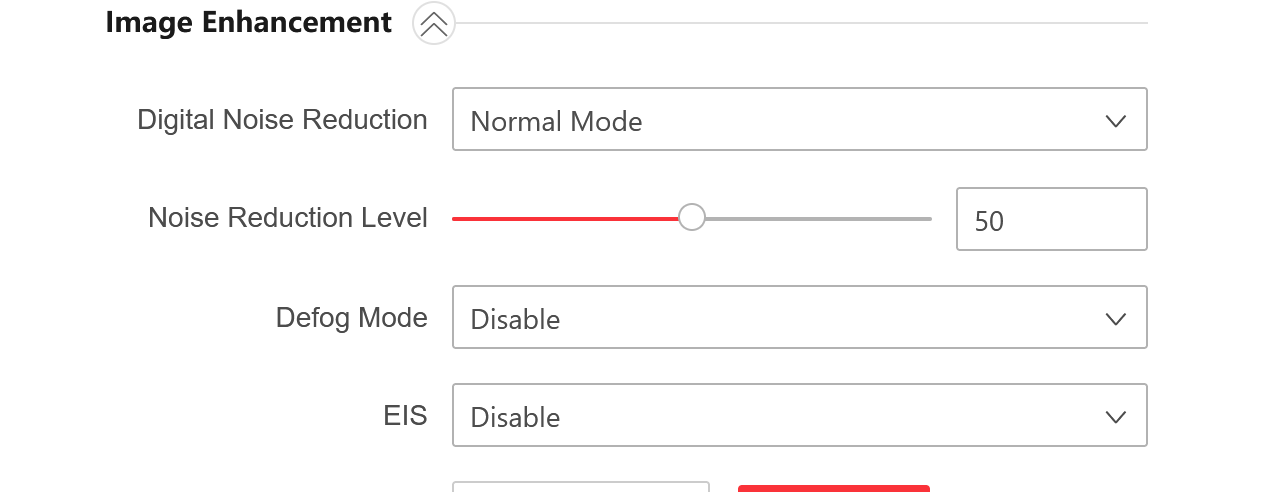
Image Enhancement.png


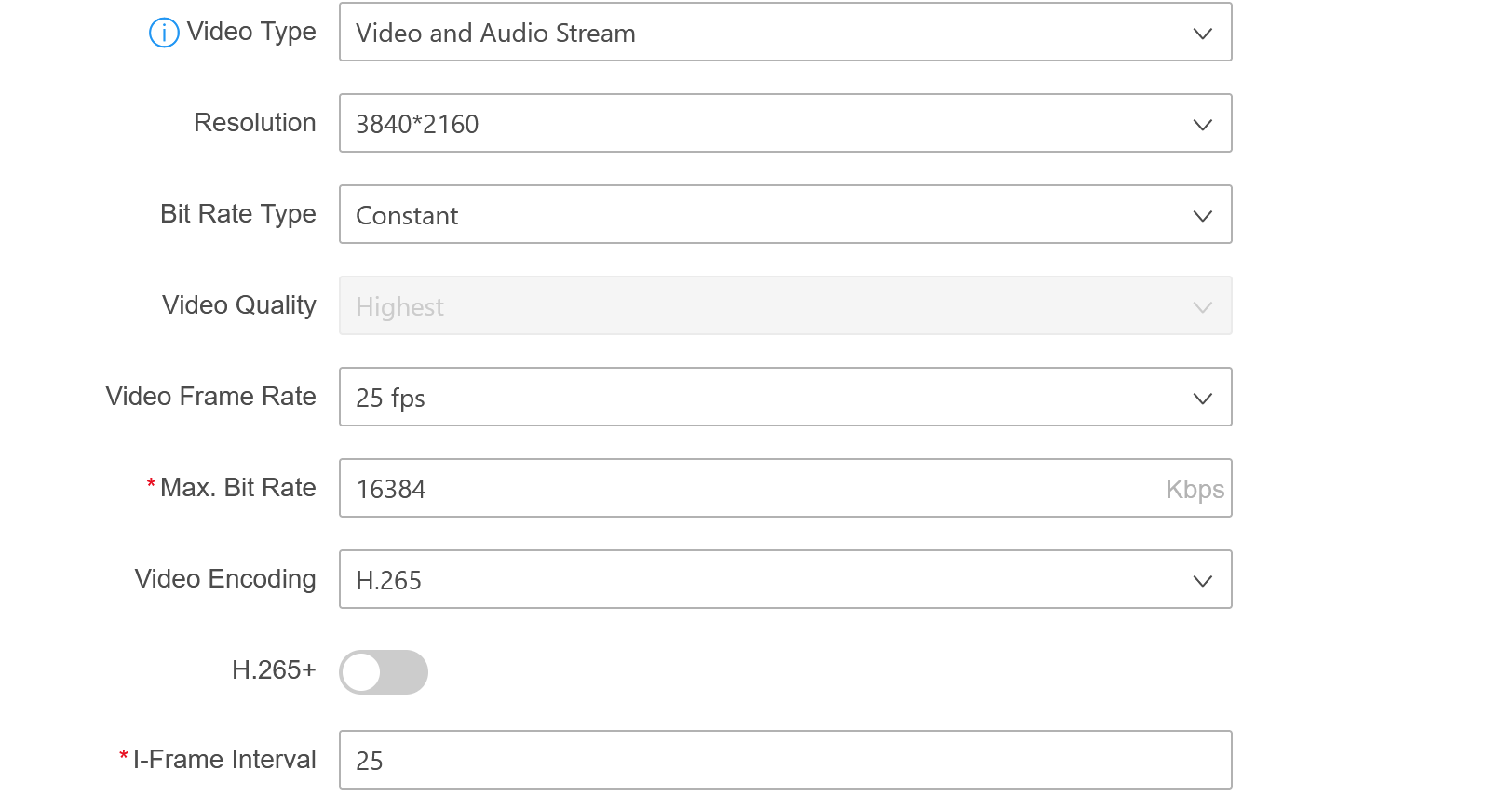
Video Parameter.png


How do I make the audio on the cameras more clearer?


Images:


IMAGE 1.jpg


Video zoomed in:


Zoomed In.jpg


Thank you
 
Last edited:
I've just had the Hikvision DS-2CD2387G3-LIS2UY/SL cameras installed but the image is very blurry, I can't even read the number plate on a car on a sunny day and there seems to be a lot of video noise. Please can someone help me fix this.

My settings for the cameras are:-

View attachment 13727


View attachment 13728


View attachment 13729


View attachment 13730


How do I make the audio on the cameras more clearer?


Images:


View attachment 13731


Video zoomed in:


View attachment 13732


Thank you
The image looks fine to me but you've got Wide Dynamic Range on. I wouldn't use it unless you need it. Your second picture is digitally zoomed so is exactly as expected - pixelated as you are stretching beyond its dimensions. H264 will generally provide better image quality than H265 but at the expense of needing a higher bit rate and therefore using more storage space. To get a more accurate idea of what the image quality is like:

- Make sure you're viewing the main stream
- take a snapshot using browser or Hik-Connect
- open the file on a PC/Mac and View > Actual size and do not 'zoom in' - WYSIWYG

The 'crystal clear' audio that Hikvision claim is about as clear as mud on these cameras and it is caused by the 'Environmental Noise Filter' which causes it to sound artificial and garbled. It is turned on by default. In the camera Audio settings uncheck the box and save. You will get more wind noise but background audio will be far clearer.
 
Reduce the Limit Gain value to 50 and preferably to a lower value.
What version of firmware is installed on your camera?
We have the same camera, but mine has a different exposure setting option.
 
Last edited:
Reduce the Limit Gain value to 50 and preferably to a lower value.
What version of firmware is installed on your camera?
We have the same camera, but mine has a different exposure setting option.


V5.8.32 build 260525
 
Reduce the Limit Gain value to 50 and preferably to a lower value.
What version of firmware is installed on your camera?
We have the same camera, but mine has a different exposure
Lowering gain will make little to no difference in this case, lowering expectations will. There’s simply insufficient pixel density at the target distance to read the number plate in daylight. In daylight the camera will be unlikely to use gain at all. Unless you’re switching modes for low light, altering the gain to a lower level can negatively impact the nighttime image.
 
Lowering gain will make little to no difference in this case, lowering expectations will. There’s simply insufficient pixel density at the target distance to read the number plate in daylight. In daylight the camera will be unlikely to use gain at all. Unless you’re switching modes for low light, altering the gain to a lower level can negatively impact the nighttime image.


I have some video noise even when it's sunny and when it captures people, the video seem very smooth. What setting should I set the Space DNR Level and
Time DNR Level?

Also, what about the Smoothing setting for the cameras?


Thank you
 
Lowering gain will make little to no difference in this case, lowering expectations will. There’s simply insufficient pixel density at the target distance to read the number plate in daylight. In daylight the camera will be unlikely to use gain at all. Unless you’re switching modes for low light, altering the gain to a lower level can negatively impact the nighttime image.
Yes, you're right.
But I never use 100% gain for Color Vu cameras.If the gain is 100%, the image quality is lost.I saw his tuning setting and noticed a gain of 100%. That's my impression.
 
VIDEO

I have attached footage from my camera in the above link.

Is this motion blur or is this to with video noise?

What settings do I need to change on the camera?


Thank you
 
VIDEO

I have attached footage from my camera in the above link.

Is this motion blur or is this to with video noise?

What settings do I need to change on the camera?


Thank you
I see no issue in that video. If that is blurry/noisy to you it’s a trip to Specsavers that’s needed! I saw one momentary compression artifact as he’s about to leave. It’s fine.
 
Try with new firmware.--Support AI encoding.

DS-2CD2387G3-LIS2UY/SL(2.8mm)(O-STD)Firmware_3000737666_EN_V5.8.40_260701
 
Back
Top