01304 827609 [email protected] Find us

MacOS SadpTools Mac v1.0.1(Updated) Custom - Download

trempa92

Expert
Trusted Member
Messages
602
Points
43
Greetings everybody,

I saw a lot of threads having an issue running SADPTools on their Macs, so I came to conclusion why not make unofficial one that does the same job.

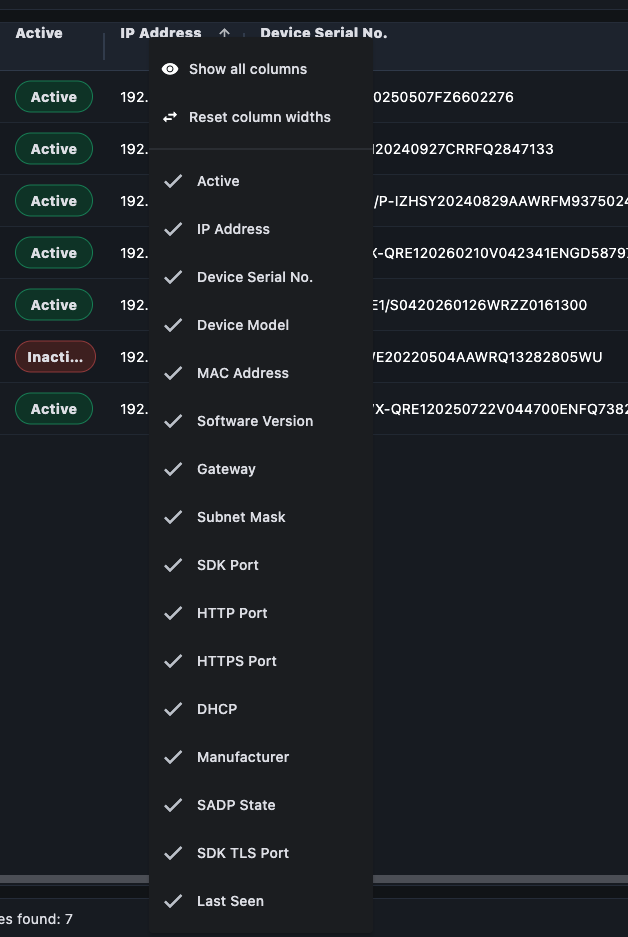
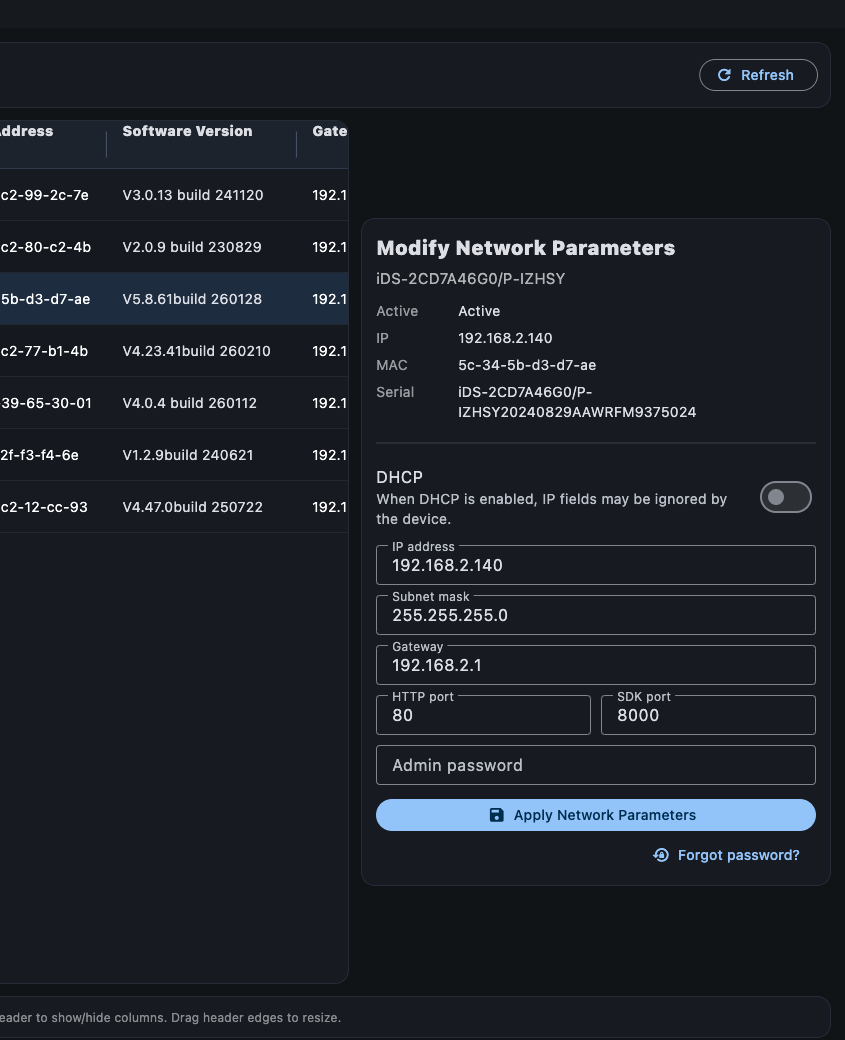
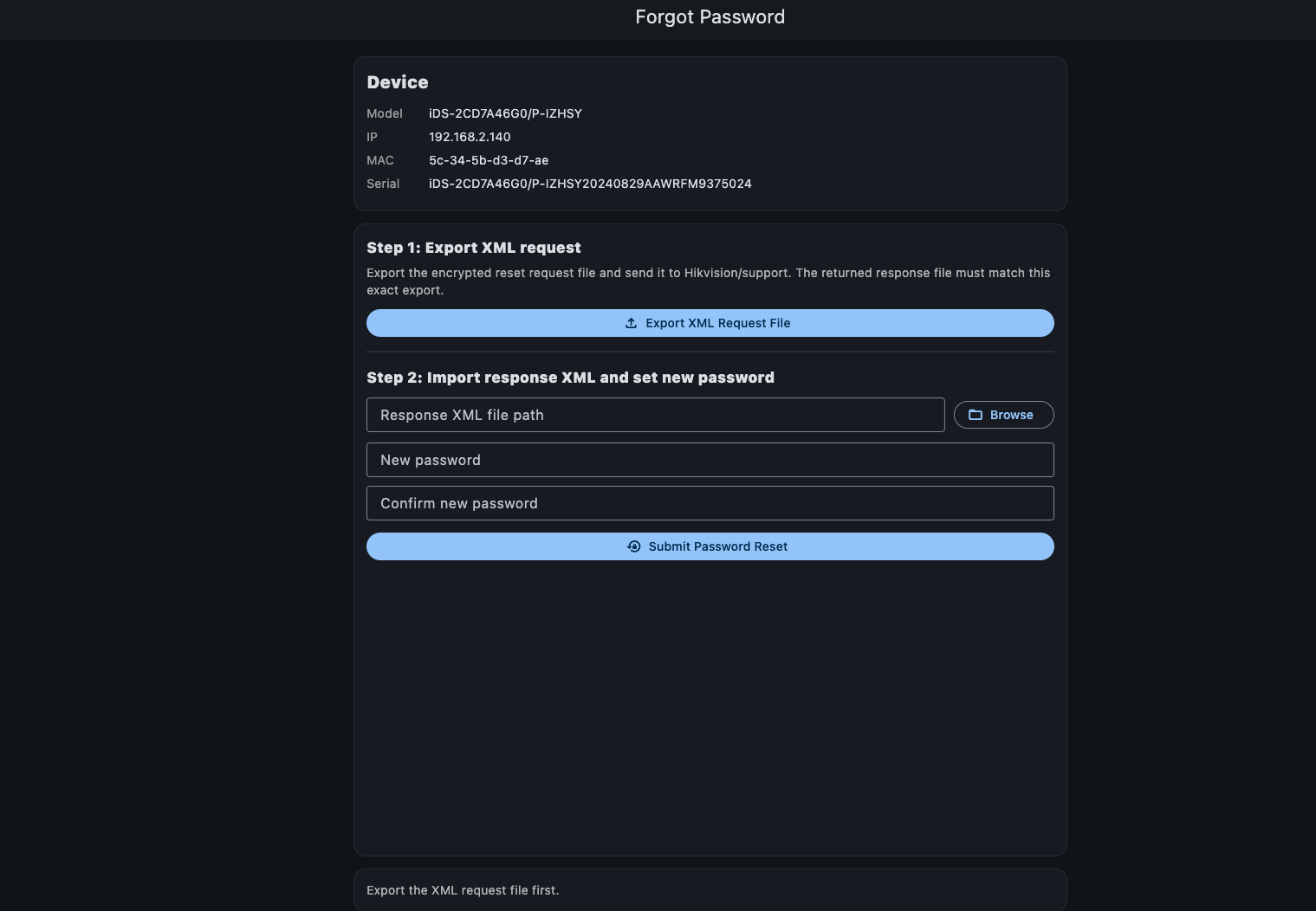
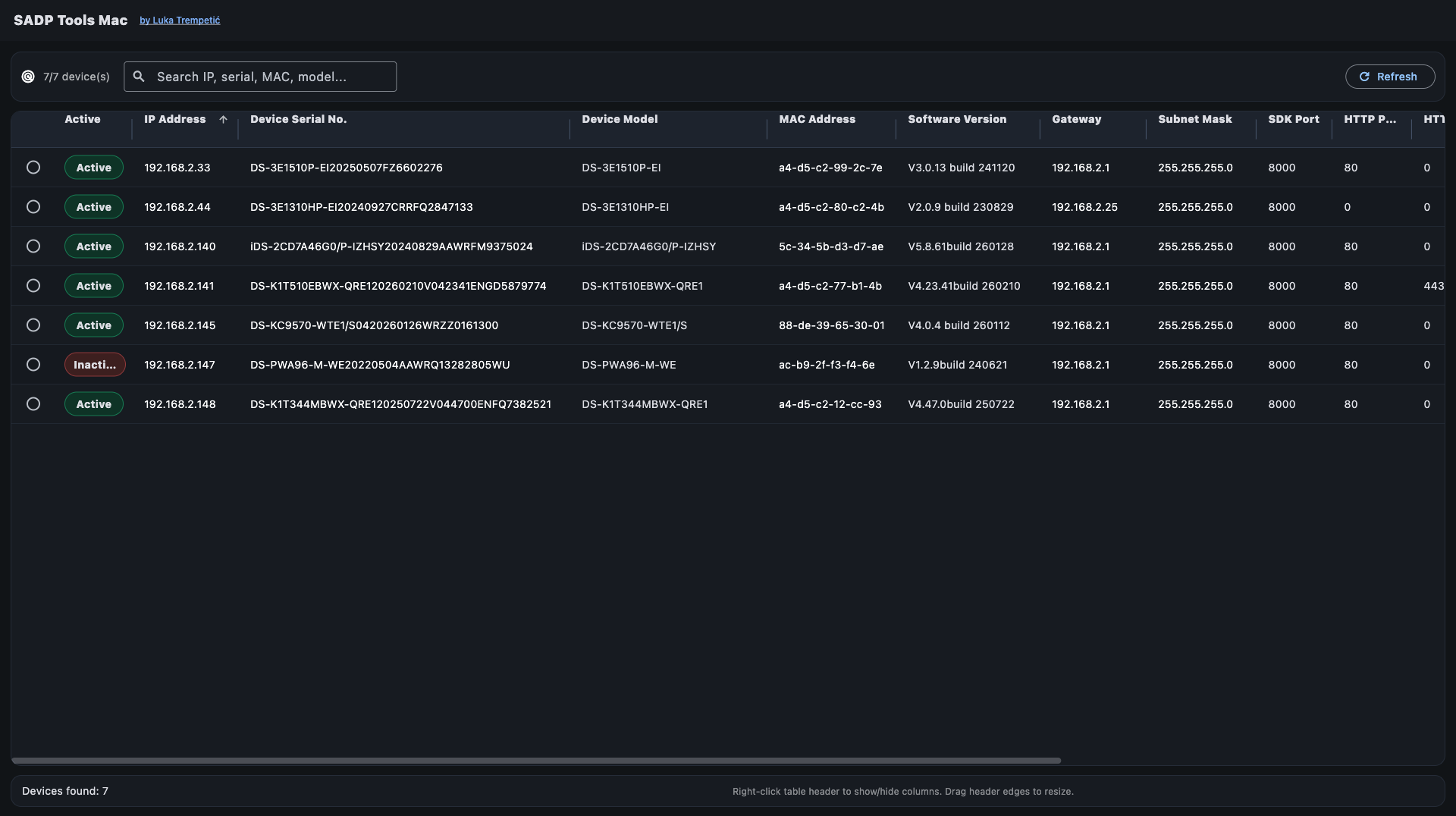
Here are few screenshots and download link.


Please let me know if there are bugs or missing features.

Cheers,
Screenshot 2026-05-18 at 13.51.25.png


Screenshot 2026-05-18 at 13.51.38.png
Screenshot 2026-05-18 at 13.51.52.png


Screenshot 2026-05-18 at 13.52.02.png
 
Thanks @trempa92

We will give this a test.

When I installed it, I got the error message below.

Screenshot 2026-05-18 at 14.08.43.png

Do you have any recommendations of which Mac settings need to be adjusted to allow the tool to be opened?
 
Hi @Dan ,

Could you try this if your app is extracted in Downloads?

xattr -dr com.apple.quarantine ~/Downloads/sadptoolsmac.app

This should be a workaround until i sign and publish app on appstore. Publishing requires some time
 
Thanks @trempa92

Sorry, but I'm going to need your guidance here.

What do I do with what you have shared above?
 
Hi @Dan,

I will sign the app and share a new download zip. So we dont need workarounds.

Itll take me some time. Ill bump this thread once i do
 
  • Like
Reactions: Dan
Thanks @trempa92

We will give this a test.

When I installed it, I got the error message below.

View attachment 13648
Do you have any recommendations of which Mac settings need to be adjusted to allow the tool to be opened?
@Dan - If you just click Done. Then go to Settings > Privacy and Security. When you scroll down you'll see the app and that it was blocked. Click 'Open anyway' and authenticate with Touch ID or password to open it. When the pop up appears click to allow it see devices on your local network (similar to what Hikvision version used to pop up)
 
  • Like
Reactions: Dan
@JB1970
I started the signing, but it took over 20 min, my shift was done but i left mac on to finish until tomorrow.

So no security blocking for others i hope

I will add an option to live, snapshot and time sync

Any other idea?
 
@JB1970
I started the signing, but it took over 20 min, my shift was done but i left mac on to finish until tomorrow.

So no security blocking for others i hope

I will add an option to live, snapshot and time sync

Any other idea?
Cool :cool:

I can't think of anything - live and snapshot sounds great.
 
Here is notorized version. It took quite some time to sign it. Please give a go and try if it still gets blocked.

You can see zip release.

Meanwhile I will start working on live view(Only new firmwares using web socket) , a snapshot option and vulnerability test using all known CVE's.

So the 1st column will show the test results.

 
@Dan - If you just click Done. Then go to Settings > Privacy and Security. When you scroll down you'll see the app and that it was blocked. Click 'Open anyway' and authenticate with Touch ID or password to open it. When the pop up appears click to allow it see devices on your local network (similar to what Hikvision version used to pop up)
Thanks @JB1970

I did go to the security settings the first time I tried to open it, but I didn't scroll down far enough to see the 'Open Anyway' option.

It's open and working now.
 
is notorized version. It took quite some time to sign it. Please give a go and try if it still gets blocked.
I just downloaded the new version. All I got this time was the usual prompt about opening something downloaded from the internet that you get with all downloads. It wasn't blocked and has opened without issue :)
 
Thats really good to hear @JB1970 . The new release with Snapshot/Live/Pentest will be up before end of my shift.
I will add as well export device list to xls with some specs included

Like IP, Model, Serial, Resolution, Bitrate and so on. Like more detailed than in app list.
 
Websdk... i had soo much issues with on mac, i switched live to use rtsp plus vlclib.

It seems mac is terminating websocket data after 5s. So i was getting 5s live only...

With vlclib as pod plugin for mac app will run live for all cameras including old ones
 
Greetings ,

New release is available to download here

Hmm - no joy with this version. I just get a 'could not be opened' error. I've deleted and redownloaded a couple of times but get the same result:

Screenshot 2026-05-21 at 09.06.23.png


Not sure whether it's relevant but the file version info still shows version 1.0.0 rather than 1.1
 
Yea i didnt change build number within the appitself, forgot it...

Crap... I wish i had additional mac to test beforehand. My developing Mac opens everything just fine..

Will look into it

Thanks for letting me know
 
@JB1970 On the same download link I replaced v1.0.1 zip with DMG file. Would be kind and test this version out?
 
Back
Top